
Zad Archery Shaping
Weapon-rune pairs, Shaping screen layout, and why a lone shaped sword is only half a system.
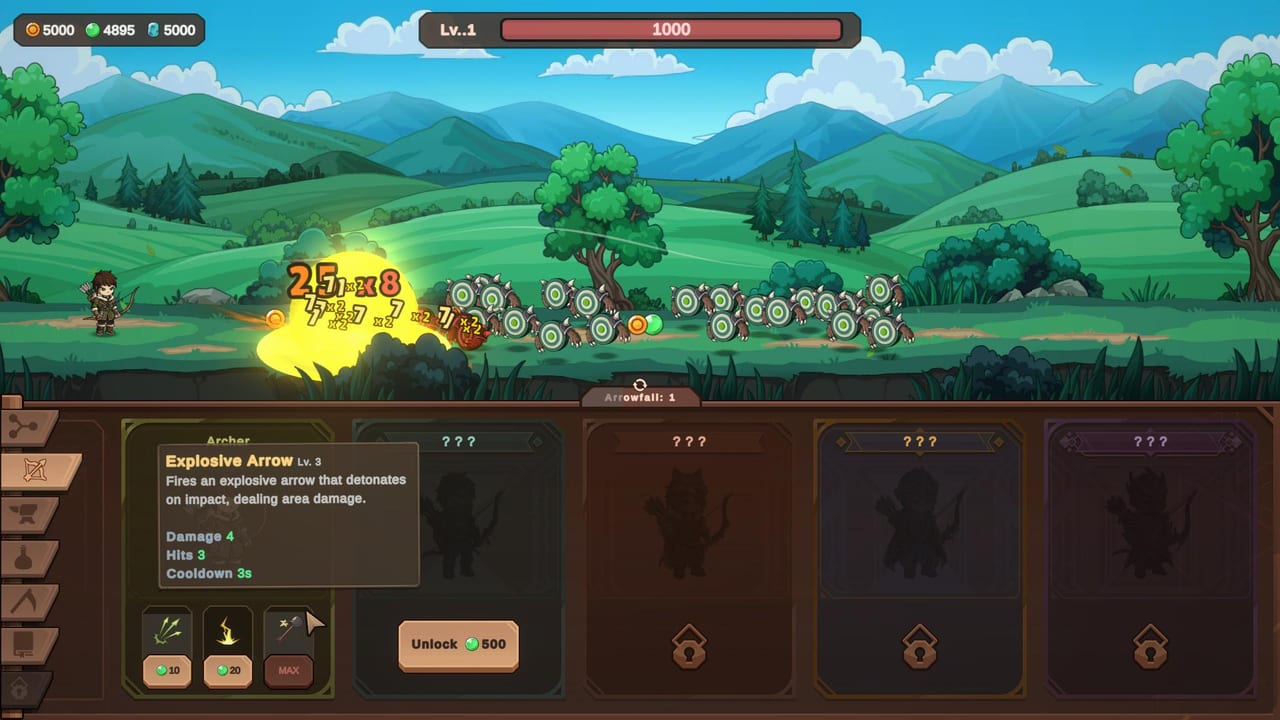
Shaping arrives after the mid-game portal chain and introduces weapons that fight alongside your archer. The launch route first exposed a sword, then later opened caster weapons and a second weapon slot. Shaping also creates runes whose effects belong to a specific weapon family. A shaped weapon without a matching rune is only half a system. Build one working pair before spreading resources across families.
If you are still unlocking Sniper or feeding gems into job skills, this page is not for you yet. Come back after the Guardians route or once the left tray shows a new Shaping tab.
Where Shaping lives
Shaping is a new left-hand tray tab that appears after you push past the mid-game portal sequence. It sits alongside the skill tree, jobs, crafting, alchemy, and gathering tabs. The Steam page lists Shaping as one of the 1.0 systems alongside Masteries and Guardian Perks. You will not find it on the hillside map — it is a panel, not a location.
The Shaping screen has two main areas: the weapon slots and the rune slots. Weapons are shaped from materials you collect during combat and gathering. Runes are created separately and carry text that names a specific weapon family.
Open Shaping in the right order
The verified launch route followed this sequence:
- Create the first weapon and watch one full wave so its attack rhythm is visible. Does it hit frequently for low damage, or wait for a big opener? Does it target the closest body or track across the screen?
- Create a rune and read the weapon family named by its effect. A sword effect does not improve a hammer or a caster weapon. The rune’s description tells you which family it belongs to.
- Equip a matching rune to the shaped weapon. A rune without a matching weapon is as incomplete as a weapon without a rune.
- Choose the rune upgrade: speed when the weapon waits through most of a wave, or damage when it connects reliably but leaves targets alive.
- Only then spend toward another family or open the second weapon slot.
Weapon families and what they do
The launch route first showed a sword — a melee weapon that swings at nearby groups. Later, a caster weapon opened that fires a projectile at a distance. The two families address different walls:
- Melee (sword, hammer): good for dense waves where targets cluster in front of your archer. The damage is immediate but the weapon must be close to the action.
- Caster: good for finishing distant targets or reaching backline enemies that survive the lane. The projectile travels and can hit units basic auto-target is slow to select.
- A second weapon slot unlocks later in the Shaping progression, letting you run a melee and a caster simultaneously.
Rune effects and how to read them
Each rune belongs to a weapon family. When you create a rune, its description names the family it affects. The effects within a family typically fall into two categories:
- Speed effects: reduce the cooldown between the weapon’s attacks or increase attack frequency. Useful when the weapon sits idle through most of a wave.
- Damage effects: increase hit damage or add a condition such as first-hit damage or consecutive-hit bonus. Useful when the weapon lands reliably but the kill time is too long.
Read whether your wall is a dense wave, a high-health portal, or a dangerous backline before selecting the effect. A speed rune on a weapon that already fires constantly is wasted gold.
Common Shaping mistakes
Creating a second weapon before the first has a rune. The rune is not decoration. A shaped sword with no matching rune contributes less than a rune-equipped dagger.
Mixing rune families. A sword rune on a caster weapon does nothing. Always match the rune to the weapon family its text names.
Spreading resources across three families at once. One working pair clears waves. Three half-finished weapons clear nothing. Finish the first pair, prove it on the battlefield, then expand.
Ignoring the second slot. Once unlocked, a second weapon slot lets you run complementary families simultaneously. A melee weapon handles the front and a caster handles the back. Do not leave it empty if you have the materials.
How Shaping connects to the rest of the game
- Skill tree: later branches reference Shaping power. Those nodes stay dark until the tab opens.
- Gathering: materials for shaping come from combat and gathering. Mining and Fishing may feed specific weapon types.
- Crafting: Shaping is separate from the anvil. Crafted bows and armor are still built on the crafting tab; Shaping weapons run parallel.
- Guardian Perks: some perk choices may interact with shaped weapons or rune effects. The guardians page has the full perk context.
When to push Shaping versus other systems
Shaping is a late-game multiplier. Before spending materials here, confirm that:
- Sniper is online and job skills are ranked
- The skill tree has charges, cooldown, and gem chance at functional levels
- Armor has at least one useful roll (projectile or gold-gain)
- Guardians are spawning correctly
Shaping amplifies a working foundation. It does not replace a missing engine.
For ranked Shaping choices, see the builds list. For the farming schedule that funds these upgrades, see the farming planner. If a Shaping patch arrives after the September 4 Mega Update, it will be documented on updates.
Frequently Asked Questions
Quick answers to the most common Zad Archery questions.
What is Shaping in Zad Archery?
Shaping is a late-game system that lets you create weapons and runes. Weapons fight alongside your archer; runes improve a specific weapon family. Build one weapon-rune pair before spreading resources.
What is the correct order to open Shaping?
Create a weapon first, watch its rhythm, then create a rune that matches its family, then equip the rune. Never put a rune on a weapon from a different family.
Should I open a second weapon slot before finishing my first pair?
No. One weapon with a matching rune is better than two half-finished weapons. Finish the first pair, test it on a wave, then expand.
When does Shaping unlock?
After the mid-game portal chain. The exact wave gate varies. Watch for a new left-hand tab labeled Shaping. It is not on the hillside map.